
How Can We Help?
REF2029 release notesREF2029 release notes
5.34.0
Show research output reviews to all authors
It is now possible for co-authors to see any review proposed by any of the authors. By enabling this, any reviews proposed, will become visible to all the co-authors in Pure. Pure will still respect the settings on the review, such that the final grade and summary, is only visible if this have been configured to be so. The co-authors will be able to see the final grade and/or summary, when that is marked as being visible.
By default, this is disabled, but can be enabled under Administrator > System settings > Review.

Change proposing author
It is now possible to change the proposing authors on reviews. This can be especially useful if the proposing author have left the institution, or it was done by an administrator. The proposing author can be changed by clicking on the pencil next to the proposing author on the review editor.

Enable/disable proposing reviews on PUX
For those institutions that aren't using review, or hasn't rolled out REF reviews to personal users, we have introduced a configuration option to enabled or disable the propose button on the personal overview page. If this is disabled, the Review section will still appear if any reviews are assigned to the person, or if the person has proposed any review. It only controls the visibility of the Propose button
This can be configured in Administrator > System settings > REF2029. The default is on.

Default review REF2029 review template
We have seen that some institutions have deleted the default REF2029 review template, and this was used for the bulk upload functionality for reviews. When this was deleted, the bulk upload functionality does not work, and the templates cannot be created manually again. We have therefore recreated the REF2029 review template, and we have also locked this template so that it can no longer be deleted by accident.
REF open access compliance status
We have added information about the REF open access compliance status in the Review editor. This was a requested update to help process the review requests.

5.32.1
Personal review overview
This release introduces an overview for personal users on the reviews they have for REF2029. The way of creating reviews has also been streamlined, such that it is now easier to propose research outputs for Review. The reviews are grouped by status, such that the researchers can see where their output reviews are at any given time. Similarly, persons that are doing reviews can see a list of reviews outstanding, in progress, and completed, as well as any reviews that might be overdue. Clicking any of the numbers shows a detailed list of the reviews.

5.32.0
To help prepare for REF and to manage reviews, we have added a bulk upload functionality to assign reviewers to reviews in Pure. This functionality uses a spreadsheet to upload the information to Pure. It is possible to assign a review template in the process also. See more about the functionality and how to prepare the spreadsheet at Bulk assign reviewers
5.31.2
Additional options for bulk upload Reviews
With this release, we have added three additional options for the bulk upload of review. You can now specify who requested the review, and if the final grade and/or summary should be visible to the requestor. For further description of the bulk upload, please read Bulk upload REF2029 research output reviews.
5.31.0
Contributions to knowledge and understanding (REF2)
In 5.30.3 we released an initial REF2 model. With this model it is now possible to start creating the REF2s. The initial model contains the following fields:
- Research output relation
- Total numbers of authors override
- Unit of Assessment
- Output type (this uses the same mapping from REF2021)
- Narrative statement

Volume contributing staff
To start gathering an overview of the volume needed for REF, we have added an FTE of volume contribution staff to the Unit of assessment. This is a manually inputted field and no automatic calculation of needed content has been added. The field is available in reporting. It is possible to bulk upload FTE of volume contributing staff using a spreadsheet.

5.29
REF name updated
We have updated the name of the REF2028 module to REF2029 to reflect the changes from UKRI. The renaming includes all items related to REF2029, such as the review template, the UoA, etc.
UoA on Person
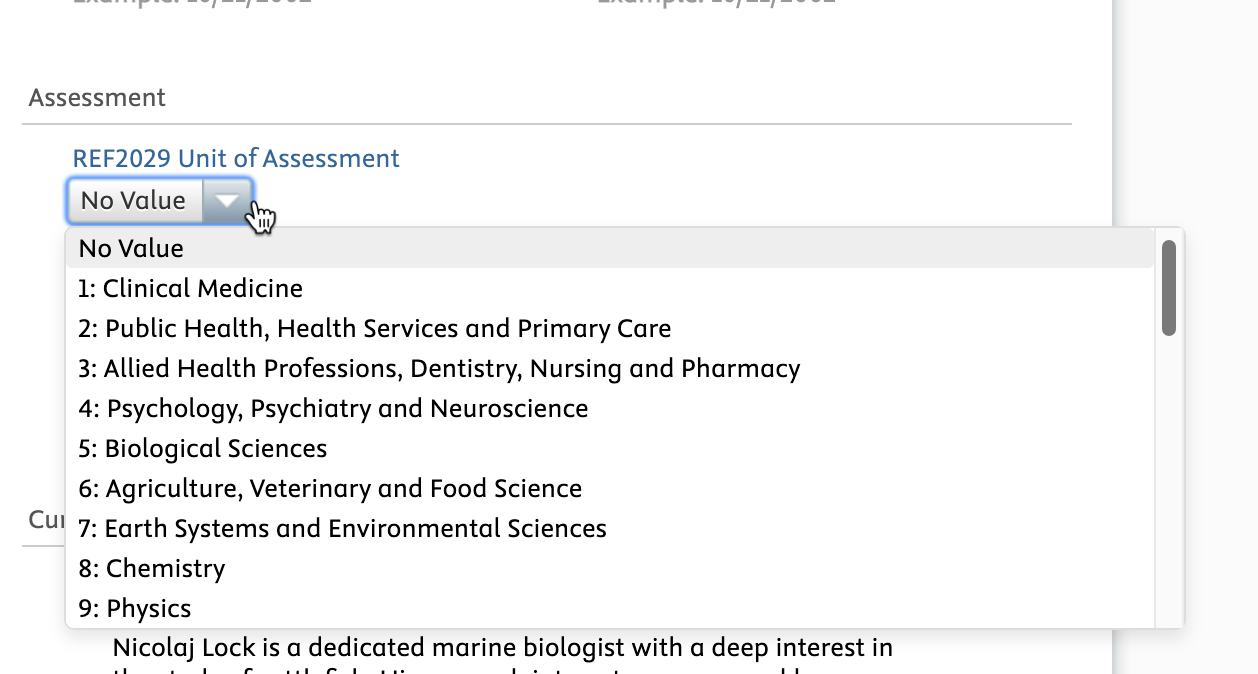
It is now possible to specify on Persons to which Unit of Assessment (2029) they belong. You can also use the information from this Unit of Assessment field to create the reports needed for an overview of which persons are in which UoAs.
Bulk upload of Reviews
It is now possible to upload of multiple Reviews per Research output. Pure creates a Review for each combination of Research output ID and UoA. We have also added a the optional Review ID column to the upload spreadsheet. If the Review ID column is present, Pure uses it to find the corresponding Review and adds it to the respondents from the spreadsheet. With this change, it is possible to create Reviews in Pure and populate them with information from the spreadsheet.
Visibility of co-author review requests
We have updated permissions on Reviews so that review requests made on outputs are only visible to the requestor and not any of their co-authors on the same record. Visibility settings and permissions for Editors or Administrators are otherwise unchanged.
5.28.0
REF 2029 module
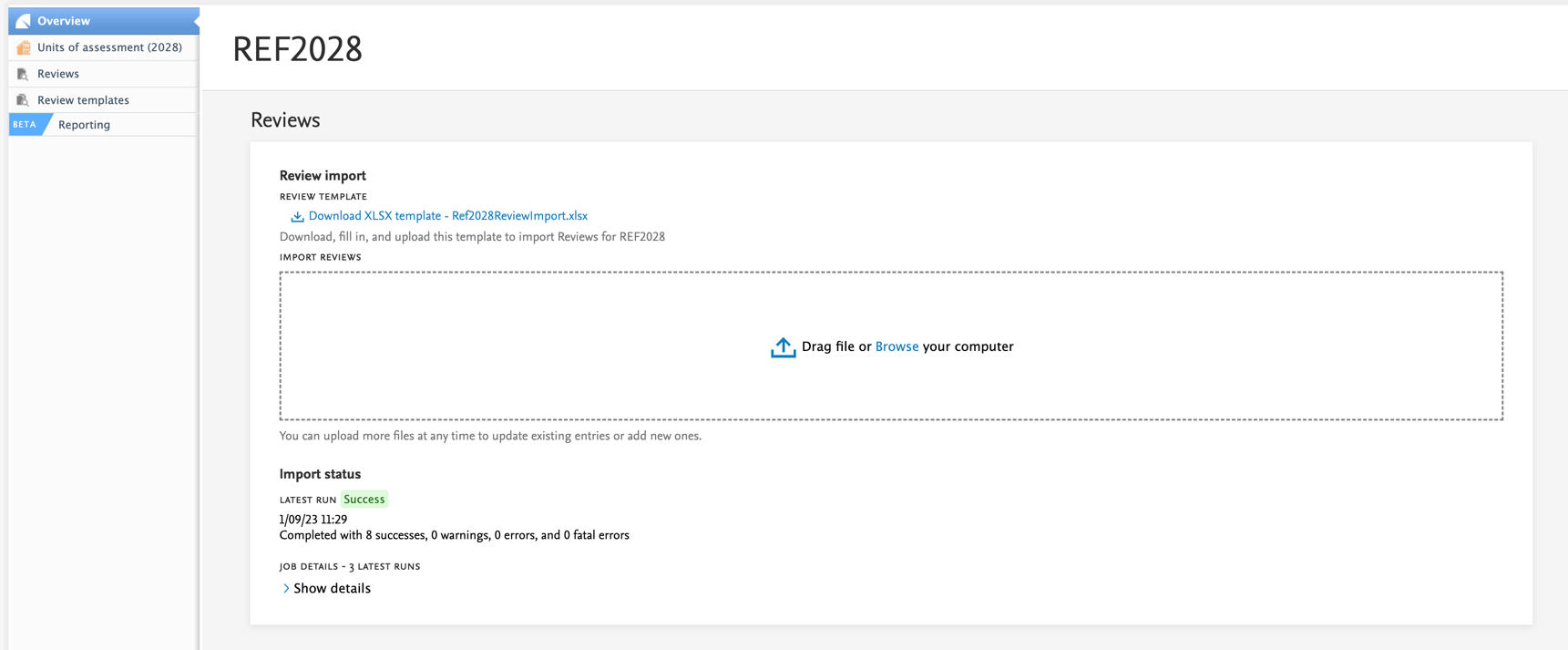
We're releasing the first iteration of the REF2029 module. This will contain the Review templates and the Reviews, as well as the Unit of Assessments. With this new module, it will be possible to bulk import existing Reviews, by using the provided template. You will find the template in the REF2028 module. It is very easy to import reviews once the template is completed, just drag and drop the spreadsheet to the corresponding area and Pure will import the reviews, or report any errors that need to be fixed.
We will be adding more functionality to the REF2028 module once we know more about what is needed.
Requirements
The REF2028 module will be enabled if you also had the REF2021 module. If you do not have the REF2028 and you think you should, please contact support. We have also enabled the Review model as part of the REF2028 module.
Review functionality
Flexible review process: recall, edit, and re-open reviews
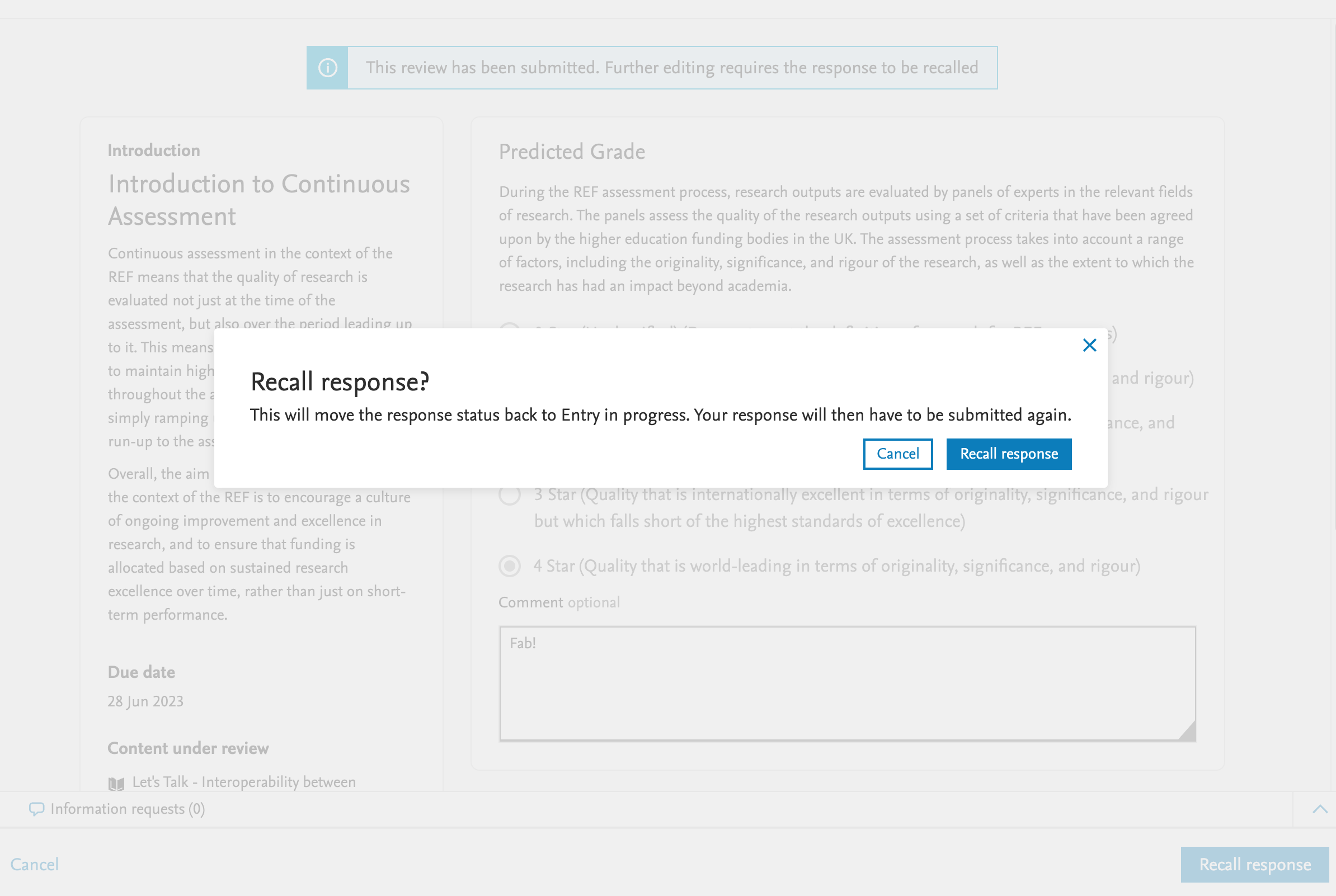
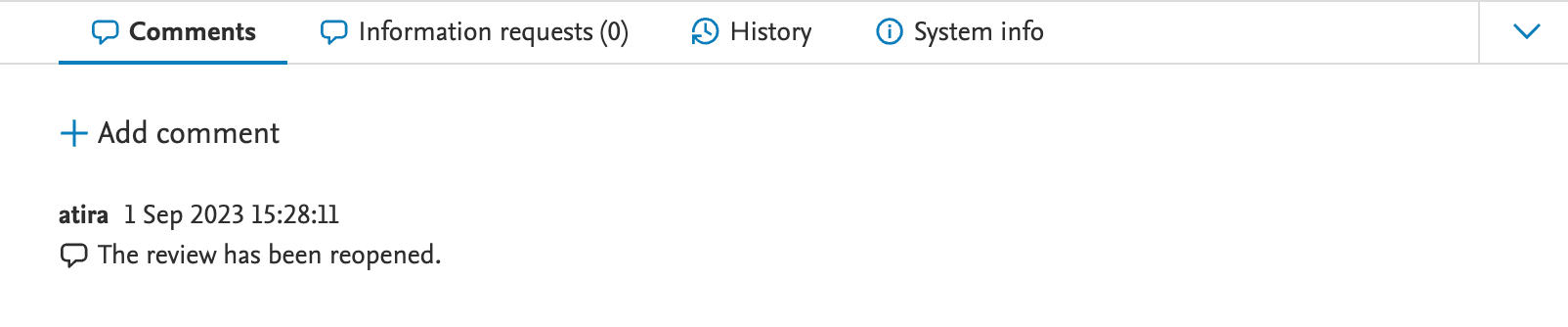
Reviewers can now edit their previously submitted responses before the review editor finalizes the review. Review editors can now re-open completed reviews, allowing further comments to be added. For audit purposes, the date and time of re-opening the review is available in the comments section.

Show/hide final grades to the author or applicant
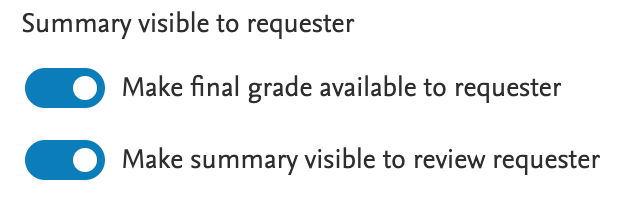
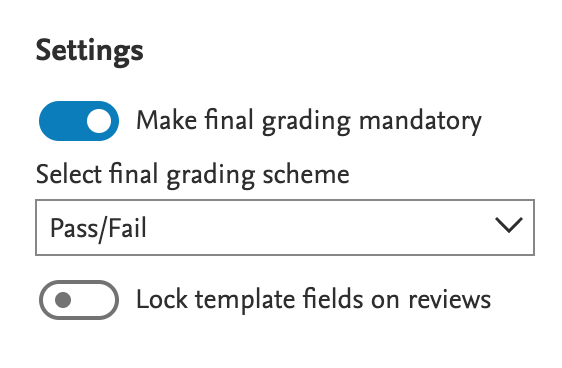
Review editors can now show or hide final grades on templates and in the review editor of the relevant content types. If final grades are turned off, they are also hidden from other users in the review overview screens. To prevent overriding these settings, Review editors can lock them on the review templates.
The role Editor of Reviews is now based on content type
To maintain different review contexts, the Editor of Reviews role is now specific to content types. For example, it is now possible to grant the role of Editor of Application Reviews (with permissions to only create and manage reviews on the Application content type), or the Editor of Research Output Reviews role (with permissions for Research output reviews). This ensures Editors of one content type are unable to view the reviews of the other, although it is possible to grant both roles to the same user.
Requirements
To all new features in the review functionality, the following prerequisites apply:
- Award Management Module
- For UK REF Research output context, only the REF Assessment Module
- The functionality is in the early phases of rollout and under vendor control. We recommend that customers initially engage with the internal funding feature in staging environments to familiarize themselves with the functionality and to formulate local policy and procedures. Contact Pure-Support@elsevier.com for more information.
- For existing users of the review functionality, it is crucial to update Editor of Reviews users manually as the former Editor of Reviews role is no longer available from 5.28.0. However, the roles Administrator of Reviews and Administrator of Review Templates are not affected.
5.27
UK:REF - Review type for continuous assessment
As part of the 5.27 release we are introducing a new content type in Pure - the Review Content type. This type has been adapted, based on input from the UK continuous assessment special interest group (SIG) to allow users of the REF module to create and distribute reviews for comment and scoring on research outputs and can be used for assessing the quality of outputs for consideration as part of a future REF exercise.
At this point, we consider this the initial release and will continue to revise and develop the functionality in further Pure versions. From Pure 5.27.0, users will be able to
- create review templates,
- create reviews (directly as Editors of Reviews, and indirectly via author request),
- add reviewers as required,
- send and notify reviewers,
- and then process, score and finalise reviews once responses have been received.
Functionality specified by the SIG for batch features, including the upload of existing review information held locally, and the bulk selection of new outputs for review are still under development and will be made available as soon as possible. We will continue to develop additional features based on feedback received and against the SIG user stories.
Requirements
Note that whilst the review type on assessments is included for use in the 5.27.0 release, it is not available by default. The feature can be enabled on request by contacting the Pure Support team via Pure-Support@elsevier.com. We recommend that users initially engage with the review type in staging environments to familiarise themselves with the functionality available and to formulate local policy/procedures.
We intend to carefully monitor feedback of this new feature and have agreed to work closely with the Continuous Assessment SIG to consolidate feedback and to help with the prioritisation of any additions of corrections to the functionality as delivered. Please contact either Nicolaj Lock (N.Lock@elsevier.com) or James Toon (j.toon@elsevier.com) for more information if required.
Published at November 24, 2025